
In early October 2026, people who had bought a Ledger hardware wallet from a reseller in Southeast Asia reported that their wallets had been emptied. On 10 October the French maker said, in a statement quoted by BleepingComputer: “Ledger can confirm that one of the impacted users’ devices contained an unauthorized hardware implant.” By Ledger’s account, reported by Decrypt on 13 October, the added part reads the 24 words of the recovery phrase and sends them out over the mobile network. The usual crypto wallet security advice (a new device, a PIN, the words copied on paper and never photographed) does nothing against a device altered before it was sold.
A blockchain investigator known as Specter has traced more than $86 million of suspected thefts on Ethereum, Tron and Bitcoin, according to the same Decrypt report. Ledger has confirmed neither a total nor a number of victims. It called the affected volume “limited” and linked every drain reported to it to devices sold by one reseller, CryptoBilis. How and when the devices were altered has not been established, and as of 21 November 2026 the investigation is still open.
That is the rare kind of theft. The usual kind needs no hidden chip: a recovery phrase typed into a page that looked official, a wallet app that was not the real one, an address pasted without a second look. Chainalysis counted 158,000 thefts from personal wallets in 2025, nearly three times the 54,000 of 2022. Its reading of the trend: attackers reach more people and take less from each.
The previous lesson of this path told the biggest crypto hacks and what went wrong in each, from Mt. Gox to the theft of about $6.3 billion from Binance on 29 October 2026, the largest on record. Those are failures at company scale. This lesson is about one person with a few hundred or a few thousand dollars. Each habit comes with its reason and a dated theft it answers, and the whole checklist is gathered in one table at the end. If the difference between an account on an exchange and a wallet you hold yourself is still vague, read our guide to the types of crypto wallet first.
What actually empties personal wallets
Nobody breaks the cryptography. A thief gets the secret that controls the wallet, or gets the owner to sign something, or takes over an account that sits next to the wallet. Five routes come up again and again in the reports of security firms. A sixth, the tampered device, opened this lesson.
| Route | What it looks like | A dated case |
|---|---|---|
| The seed phrase leaves your hands | Typed into a fake app or page, photographed, saved in an online note | SparkCat, apps that scanned photo galleries for phrases, found by Kaspersky in February 2025 |
| A fake or compromised wallet app | A look-alike in an app store, a browser add-on swapped after review | “Ledger Live Web3” in the Microsoft Store: more than $768,000 stolen by 5 November 2023 |
| A signature you did not understand | A site asks the wallet to approve a transaction that hands over the tokens | Wallet drainers, phishing pages that get a visitor to sign away tokens: $83.85 million from 106,106 victims on Ethereum-compatible chains in 2025, per Scam Sniffer |
| A wrong address | Malware swaps the pasted address, or a look-alike sits in the history | 49,999,950 USDT sent to a look-alike address in December 2025 |
| An account around the wallet is taken over | Email, exchange login or phone number captured | 971 SIM-swap complaints to the FBI in 2025, $17.4 million lost |
The official figures need careful reading. The FBI’s Internet Crime Complaint Center received 181,565 complaints involving cryptocurrency in 2025, for about $11.37 billion of losses, but most of that money went into fake investment schemes, not out of hacked wallets. The numbers that describe wallet theft itself are smaller.
| Measure | Figure | Period | Source |
|---|---|---|---|
| Thefts from personal wallets | 158,000 incidents, at least 80,000 victims | 2025 | Chainalysis, 18 December 2025 |
| Same measure, earlier | 54,000 incidents, 40,000 victims | 2022 | Chainalysis |
| Value taken from personal wallets | $713 million, about 20% of all crypto stolen (a lower bound) | 2025 | Chainalysis |
| Same measure, a year before | $1.5 billion, 44% of all crypto stolen | 2024 | Chainalysis |
| SIM-swap complaints in the US | 971 complaints, $17.4 million | 2025 | FBI IC3 2025 report |
| Same measure, earlier | 982 complaints, $26.0 million; 1,075 complaints, $48.8 million | 2024; 2023 | FBI IC3 2025 report |
More victims and smaller sums each: that is the profile of a crime that works at volume, against ordinary holders. The FBI’s 2025 report corrects another common idea. SIM swapping, often described as a rising wave, produced fewer complaints and smaller losses in 2024 than in 2023, and fewer again in 2025. For an individual, crypto wallet security is a matter of routine more than of equipment, and none of the lines below requires technical skill.
Three wallets, three seed phrases
No government agency publishes advice on how to split crypto between wallets. The rule that follows is practice, not a standard, repeated by wallet makers and security firms because it limits what a single mistake can cost: keep savings, spending and experiments in three wallets that share nothing.
Savings, spending, test: what each one may do
The savings wallet holds what you do not plan to touch. It lives on a hardware wallet, a small device that keeps the keys away from the internet (a cold wallet in the jargon). It receives coins, and it sends them to one place only: your own spending wallet. It never connects to a website, never claims anything, never signs an approval.
The spending wallet is an app on a phone or an extension in a browser, a hot wallet such as MetaMask. It holds the amount you would be willing to carry in cash, and it is the one you use with the applications you already know.
The test wallet has nothing to lose. A site you have never used, a free collectible to create (a mint), a free token offer to claim (an airdrop), a link a friend swears by: all of that goes through a wallet funded with a few dollars for fees. If the site turns out to be a trap, the trap closes on an empty room.
Accounts are not wallets: one phrase is one risk
A wallet app lets you create “Account 2” and “Account 3” with one click, and each shows a different address. They are not separate wallets. A seed phrase, the list of 12 to 24 words written down at set-up, produces a whole tree of keys and addresses, on every blockchain the wallet supports. Every account in that app hangs from the same words. Whoever reads the phrase holds all of them at once.
Separation therefore means separate phrases: one generated by the hardware device for savings, one by the spending app, one by the test wallet. The optional passphrase offered by hardware wallets is another way to get there, since the same words with a different passphrase open a different wallet, but a forgotten passphrase is a permanent loss. Our lesson on backing up and protecting a seed phrase covers both the backup and the passphrase in detail.
A case shows why the phrases must never meet. On 24 December 2025 version 2.68.0 of the Trust Wallet browser extension was released with malicious code inside, and at least $7 million was stolen, BleepingComputer reported two days later; an analyst quoted there said the code fired when a seed phrase was imported. This was the genuine extension, not a copy. Anyone who had typed the phrase of a savings wallet into it exposed those savings. A small spending wallet created for the purpose put only its own balance at risk.
Moving money between them
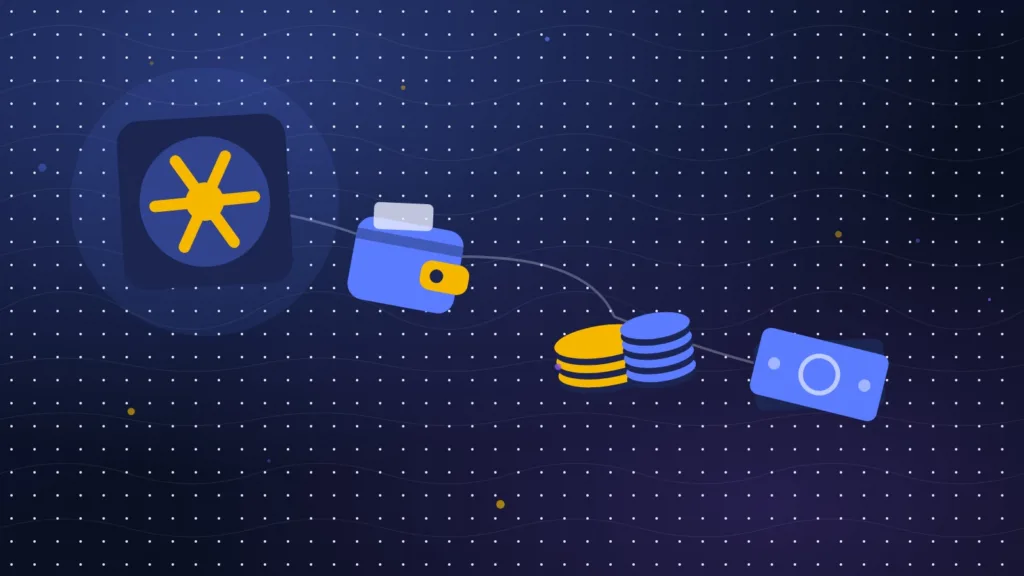
Money flows in one direction, from the safest wallet outward, in the amounts needed. Savings tops up spending. Spending sends the test wallet just enough to pay network fees. When the test wallet ends up holding something of value, a plain transfer brings it back to the spending wallet; the savings address itself never signs anything on a site.
Give the spending wallet a ceiling, a figure you write down, and send the surplus to savings when the balance passes it.
The hardware wallet, from the shop to the screen
Unboxing, the official app, the PIN, writing the phrase and the first small transfer are taught step by step in our guide to setting up a hardware wallet. The devices named here, such as the Ledger Nano X, the Trezor Safe 5 or the BitBox02, are examples with a review on this site, not a ranking. This section covers what to check around the set-up, before and after.
Where you buy it matters more than the seal
The usual advice, a new device from the maker or an authorised reseller with an intact seal, needs tightening after October 2026. On 11 October Ledger said that all the reports of drained wallets it had received were linked to devices sold through CryptoBilis, which BleepingComputer describes as a Malaysia-based retailer operating across Southeast Asia. Tibane Labs, a research studio that took apart two tampered Ledger devices bought on Japanese marketplaces, described the added circuit as a board ordered from a manufacturer, not a one-off built by hand. Some researchers, the same article says, saw tampered devices offered at nearly half the normal price.
So the line on the checklist is narrow: buy from the maker’s own shop, and treat a bargain as a warning. A used unit, an opened box, a device that arrives with a phrase already printed or a PIN supplied on a card, and a device you never ordered are not set up at all. Ledger’s guidance to CryptoBilis customers, as reported by Decrypt, gives a rule that fits any doubtful device of any brand. Do not start the set-up, and contact the maker’s support. If it is already in use, move the funds to a new device with a new phrase. Never type or restore an existing phrase on it.
What the genuine check proves, and what it cannot see
Each maker’s app runs an authenticity test at first connection. It asks the device’s security chip to prove, with cryptography, that it came from the factory. A failed check is a hard stop. A passed check says less than it seems to. Ledger said the October implant “does not modify the device’s Secure Element or the Ledger operating system”, Decrypt reported; researchers quoted by BleepingComputer say it captured what the display showed and which buttons were pressed. BleepingComputer adds that Ledger’s own support page warns the Genuine Check “cannot detect added implants when the device’s original Secure Element remains intact”.
The same fact puts an old argument in perspective. Ledger devices pair a security chip (a secure element) with a closed operating system; Trezor publishes its software as open source, and its Safe 3 and Safe 5 have a secure element that the older Model T and Model One lack. Neither question settles this case, because an added board that reads the display sits outside both the chip and the software. What answers it is the route the device took from the factory to you, which is the buyer’s choice. Updates of the device’s internal software, the firmware, come only through the maker’s app.
PIN, wrong attempts and wipe
The PIN protects the device if someone finds or steals it. After a set number of wrong entries the device erases itself, and that number depends on the maker.
| Device (examples) | Wrong entries before the device erases itself | PIN format | Source, as of 21 November 2026 |
|---|---|---|---|
| Ledger devices | 3 | 4 to 8 digits | Ledger Academy |
| Trezor Safe 3, Safe 5, Model T, Model One | 16 | 4 to 50 digits | Trezor guide |
| Trezor Safe 7 | 10 | 4 to 50 digits | Trezor guide |
| BitBox02 | 10 | Device password (letters and digits) | BitBox support |
Two consequences. Choose a PIN that is not a birthday, a year or a sequence; Trezor adds that repeating a digit makes a PIN longer without making it harder to guess. And know the limit of your device before the day you hesitate. BitBox’s support page says: “If you’re unsure of your password, stop guessing.” An erased device is an inconvenience when the phrase backup works, because the wallet is restored from the words. It is a total loss when the backup is wrong or missing, which is why the backup is tested before the first real deposit.
Read the device screen, not the computer
A hardware wallet has its own screen for one reason: the computer or phone next to it may be lying. Malware can repaint a web page or an app. It cannot repaint the device. Before pressing the button, read the address, the amount and the network on the device and compare them with the source you took them from.
The opposite habit has a name, blind signing: confirming a transaction you cannot understand or verify, in the words of Ledger’s own explainer. It is what happened at Bybit in February 2025, when the people who held the exchange’s keys approved what a tampered interface displayed and about $1.5 billion left. A transfer shows an address and an amount; if the device shows a block of unreadable characters instead, stop and find out why. Readable signing and transaction previews are covered in our security routine for DeFi users.
What a hardware wallet does not protect
The device keeps the keys offline. It does not judge what you sign. An approval that lets a contract move your tokens is a valid transaction, signed by the right key, and the wallet-drainer losses in the first table are made of exactly those signatures. The device also cannot help when the phrase is typed somewhere else, when the hardware itself was altered, or when you confirm a wrong address.
The phrase is the usual target. Moonlock Lab reported on 22 May 2025 that malware on Macs was replacing the real Ledger Live app with a copy that announces a “critical error” and asks for the 24 words. Hence the firmest line of the list: the recovery phrase of a hardware wallet is entered on the device itself and nowhere else, never on a keyboard, whatever the message says about an update, a verification or a sync. Ledger repeated in October 2026 that it will never call or message users or ask for their phrase.
2FA: for your accounts, not for your wallet
A self-custody wallet has no 2FA: PIN, passphrase, multisig
Two-factor authentication, 2FA, means a service asks for a second proof besides the password: a code, a tap on a key, a fingerprint on a registered phone. It exists where a server decides who gets in. That covers the exchange where you buy, the email address behind it, the cloud account that stores your photos and backups, the password manager and the mobile carrier account.
A wallet you hold yourself has no server and no login. In self-custody, whoever has the key can sign, and no settings page can add a second check afterwards. The equivalents are built differently: the PIN of the device, the optional passphrase, and for larger sums a multisig wallet that needs several keys to approve one transaction (a later lesson of this path is devoted to it). Any app or site that offers to “enable 2FA” on your seed phrase is asking for the phrase.
Passkeys and security keys first, apps second, SMS last
Three public bodies have said which methods hold up, and they point the same way. NIST’s SP 800-63B-4, final since July 2025, is the standard US federal services must follow. CISA’s mobile guidance of 18 December 2024 was written first for highly targeted officials and describes itself as applicable to all audiences. In the UK, the NCSC said on 23 April 2026 that passkeys should be a consumer’s first choice of login wherever a service offers them.
| Method | What the agencies say | Weak point |
|---|---|---|
| Security key (FIDO2), a small USB or NFC device | CISA: “the most effective” | Can be lost: register two and store one |
| Passkey, a key kept by your phone, computer or password manager | CISA: “an acceptable alternative”. NCSC: first choice where offered | Syncs through an Apple, Google or password-manager account, which must itself be protected |
| Authenticator app (six-digit codes) | CISA: “better than SMS” but “still vulnerable to phishing” | A fake page can relay the code; keep the backup codes |
| SMS or voice call | NIST: “restricted”. CISA: “Do not use SMS as a second factor for authentication.” | SIM swap and interception; often stays as a fallback |
| Code sent by email | NIST: email “SHALL NOT be used” to deliver sign-in codes | Falls with the mailbox |
One idea explains the order. A passkey or a security key answers only to the real address of the real site, so a look-alike page receives nothing useful. A six-digit code, from an app or a text message, can be typed into the wrong page by a person in a hurry, and NIST accordingly refuses to call any hand-typed code phishing-resistant.
SMS adds a weakness of its own. In a SIM swap, a criminal talks a mobile carrier into moving your number to another SIM card and then receives your codes. The FBI figures above show a crime reported less each year, not more, but a single success can empty an exchange account. CISA’s guidance adds a detail that people miss: enrolling an authenticator app does not remove SMS from the account. It has to be switched off by hand, or it remains what the agency calls “a weak, exploitable fallback”.
The agencies differ on one point. CISA ranks hardware keys above passkeys; the NCSC pushes passkeys for everyone. “Adopting passkeys wherever you can is a strong step towards a safer, simpler login experience,” said Jonathon Ellison, the NCSC’s director for national resilience. Either is a step up from codes.
The email account is the master key
Every “forgot your password” link ends in a mailbox. Whoever controls the email address can reset the exchange password, read the withdrawal confirmations and delete the alerts. CISA names Microsoft, Apple and Google accounts first among those to move to key-based sign-in. The mailbox gets the strongest method available and a password used nowhere else.
For all the other passwords, the agencies point to a password manager. CISA says to store every password in one, and NIST obliges services to accept password managers and autofill, asks for at least 15 characters when a password stands alone and forbids forcing people to change passwords on a schedule.
The seed phrase is the exception: it does not go into a password manager, a notes app or any online store. Krebs on Security reported on 7 March 2025 that US federal prosecutors, in a seizure complaint made public the day before, linked a theft of about $150 million on 30 January 2024 to passwords stolen from a commercial online password manager. Researchers Nick Bax and Taylor Monahan had found in 2023 that victims of similar thefts had all stored their phrases in the “Secure Notes” of LastPass before its 2022 breaches. LastPass told Krebs it had not been made aware of any conclusive evidence linking crypto thefts to its incident.
Backup codes, the carrier PIN and the exchange settings worth switching on
When you set up an app or a key, the service shows a list of single-use backup codes. Print them. Store them with your other paper records, but not in the same envelope as a seed phrase. Without them, a lost phone can lock you out of your own account.
Ask your mobile carrier for an account PIN, required before the number can be moved, which CISA calls “a critical step” against SIM swapping. On the exchange, switch on the withdrawal allowlist where it exists: the account then sends only to addresses approved in advance, so a thief who gets in cannot simply add his own and withdraw. A full lesson on exchange account security comes later in this path.
Clean devices: apps, extensions, clipboard, photos
Install from the maker’s site, never from an ad
App stores filter a great deal and still let fakes through. An app called “Ledger Live Web3” appears to have been in the Microsoft Store since 19 October 2023; the investigator ZachXBT raised the alarm on 5 November and Microsoft removed it the same day. By then it had taken more than $768,000, BleepingComputer reported. In August 2025 Koi Security described a campaign it named GreedyBear: 150 Firefox add-ons posing as MetaMask, TronLink, Rabby and other wallets, uploaded in a harmless form to pass review and collect good ratings, then refitted with malicious code. The estimated take was $1 million, according to the same outlet.
The habit that defeats both is dull. Type the maker’s address by hand from the box or the documentation, save it as a bookmark, and reach the download or the store page from there every time. A search result can be an advertisement bought by a thief, and a rating can be bought too. Since even a genuine extension can be compromised, as the Trust Wallet case showed, the spending wallet stays small whatever its reputation.
The clipboard and the look-alike address
Nobody types a crypto address; everyone copies and pastes. Clipboard hijackers live in that gap. Check Point Research described one on 17 June 2026, spread as fake trading bots through GitHub, SourceForge and YouTube videos. When it sees a crypto address in the clipboard, it swaps in one of the attackers’ own; the Windows version carried a list of more than 15,500 of them. Check Point gives no figure for what was stolen.
Address poisoning reaches the same result without malware: a scammer plants a look-alike address in your transaction history and waits for you to copy the wrong line. In December 2025 a holder sent a small test payment (50 USDT) to the right address, then minutes later copied the address for the main transfer from the history and lost 49,999,950 USDT, Cointelegraph reported on 20 December. The fake address shared its first three and last four characters with the real one. A test transfer only protects you if the second transfer takes the address from the same original source, and comparing the two ends of an address is not enough: read the middle too. The mechanics are explained in our lesson on crypto addresses.
No photo, no screenshot, no cloud note of the phrase
Kaspersky reported on 7 February 2025 on SparkCat, code hidden inside ordinary-looking apps that asked for access to the photo gallery, read the images with text recognition and uploaded those that matched, recovery phrases above all. It had been active since at least March 2024. The infected apps had been downloaded more than 242,000 times on Google Play, and others were in Apple’s App Store, the first time a stealer of this kind had been detected there, Kaspersky wrote. SparkKitty, found in June 2025 and believed by Kaspersky to be related, took every photo.
A phrase that has been photographed should be treated as exposed. It cannot be changed like a password: the only repair is a new wallet with a new phrase and a transfer of the funds. For the future, the phrase exists on paper or metal and nowhere else, and apps get access to selected photos instead of the whole gallery.
Updates, a separate browser profile and the VPN question
Install system, browser and wallet updates when they arrive; CISA’s advice for phones is to turn on automatic updates and to check weekly. Remove extensions and apps you no longer use, since each one is code with access to something. A useful habit, though no agency prescribes it, is to give the spending wallet’s extension a browser profile of its own, so that everyday browsing happens where no wallet is installed. And never open a wallet on a shared computer.
A VPN is not on this checklist. CISA goes further for the people it addresses and writes “Do not use a personal virtual private network (VPN)”, because such a service moves the risk from the internet provider to the VPN company. In any case, a VPN does nothing for a seed phrase typed into a fake page or a signature given to a drainer.
Before you sign or send
The bookmark, the test wallet and the small first transfer have been covered above. One more reflex applies to every signature: read the preview that many wallets display before the confirmation, which states what will leave the wallet and what will arrive. If it shows coins leaving and nothing coming back, close the tab.
Approvals deserve one more sentence here and a lesson of their own later. When an application asks to “approve” a token, it is asking for permission to move that token from your wallet in the future, sometimes without limit. Checking and removing those permissions is part of the DeFi security routine linked above, along with transaction simulation. The pages that ask for them dishonestly are the subject of the next lesson of this path, on phishing and wallet drainers.
Discretion is part of security
Some thefts start with a person, not a program. Chainalysis documented 46 violent attacks on crypto holders worldwide in the first half of 2026, with more than $30 million taken and France alone accounting for 30 of them, Decrypt reported on 6 August 2026. The security firm CertiK counted 72 such attacks for the whole of 2025, a record in its series. The two counts come from different firms with their own methods and should not be added together.
The protective habits cost nothing. Do not post balances, gains or purchases. Keep hardware wallet deliveries and crypto conversations out of public view. The three-wallet split helps here as well, since the phone in your pocket shows a spending balance and nothing else. Physical security has a dedicated lesson further along this path.
The crypto wallet security checklist on one page
The whole list, grouped by moment. The first block is done once, before real money goes in; the monthly and yearly lines are reviews. The yearly restore test follows the steps of the seed phrase lesson, and the note for an heir says where things are without containing the words; inheritance has its own lesson later.
| When | What to do | What it stops |
|---|---|---|
| Before funding | Buy the hardware wallet from the maker’s own shop; refuse a bargain, a used unit or an opened box | Tampered devices (CryptoBilis, October 2026) |
| Before funding | Install the wallet app from the maker’s address, typed by hand and bookmarked | Fake apps and add-ons (Microsoft Store, 2023; Firefox, 2025) |
| Before funding | Run the genuine check, and do not treat a pass as proof of the supply chain | Counterfeit devices; it cannot see an added implant |
| Before funding | Let the device generate the phrase; write it by hand; no photo, no file, no online note | Gallery-scanning malware (SparkCat, 2025); breached online vaults |
| Before funding | Choose a PIN that is not a date, and know how many wrong tries erase the device | A thief with the device in hand |
| Before funding | Test the backup by restoring it before the first real deposit | A phrase copied with an error |
| Before funding | Create three wallets with three phrases: savings, spending, test | One bad signature or one infected extension emptying everything (Trust Wallet extension, December 2025) |
| Before funding | Put a passkey or a security key on email, exchange and cloud accounts; an authenticator app where nothing better exists; remove SMS; set a carrier PIN | Account takeover and SIM swap |
| Before funding | Use a password manager and unique passwords, the mailbox first; never the seed phrase in it | Reused passwords; resets through a captured mailbox |
| Every transaction | Take the address from its source, never from the history; compare start, middle and end | Address poisoning (December 2025) and clipboard malware (June 2026) |
| Every transaction | Send a small amount first to a new address, then reuse the same source | A wrong or swapped address |
| Every transaction | Read address, amount and network on the device screen; stop on unreadable data | Blind signing (Bybit, February 2025) |
| Every transaction | Open sites from bookmarks, not from ads, messages or emails | Phishing copies of real sites |
| Every transaction | Never enter the phrase to “update”, “verify”, “sync” or “unlock” anything | Fake wallet apps (fake Ledger Live on Mac, 2025) |
| Every transaction | New site, mint or claim: test wallet only | Wallet drainers |
| Every month | Review token approvals and connected sites on the spending wallet | Old permissions used by a hacked or dishonest application |
| Every month | Update phone, computer, browser and wallet apps; remove unused apps and extensions | Known software flaws; add-ons that turn hostile |
| Every month | Bring the spending wallet back under its ceiling | Losing more than planned in a hot wallet |
| Once a year | Repeat the restore test and inspect the paper or metal backup | A backup that has faded, moved or gone missing |
| Once a year | Update the device firmware through the official app only | Fake update pages |
| Once a year | Review sign-in and recovery options on email, exchange, cloud and carrier; reprint backup codes | An SMS fallback left switched on |
| Once a year | Update the note that tells an heir where things are, without the words in it | Coins nobody can reach |
| Always | Stay quiet about amounts | Physical attacks (46 documented in the first half of 2026) |
Twenty-three lines look like a lot. Nine of them are done once, before the first deposit, and the six that apply to each transaction take about a minute together. Print the table, date it, and write next to each line the day it was done.
If something already went wrong: who to tell
Speed matters more than certainty. If a phrase may have been seen, create a new wallet with a new phrase on a device you trust and move what is left before investigating. If an exchange account was entered, contact the exchange through its official site and change the email password from another device. Then report it, and keep the reference number.
- In the United States, file a complaint with the FBI’s Internet Crime Complaint Center at ic3.gov and report the fraud to the FTC at reportfraud.ftc.gov.
- In England, Wales and Northern Ireland, use Report Fraud, the service that replaced Action Fraud on 4 December 2025 (0300 123 2040). In Scotland, call Police Scotland on 101.
What can realistically be traced or frozen, and what cannot, is laid out in our guide to recovering stolen crypto. One warning from it belongs here: anyone who contacts you after a theft and offers to get the coins back for a fee, or asks for your seed phrase to “trace” them, is running a second fraud on the same victim.